
One-Click Landlord Repair Approvals via WhatsApp: A Practical Guide for Saudi Property Teams
How Saudi property teams can use WhatsApp one-tap approvals to cut repair delays, keep landlords in control and link every decision to the job and invoice.
Turn a stalled repair into a faster decision
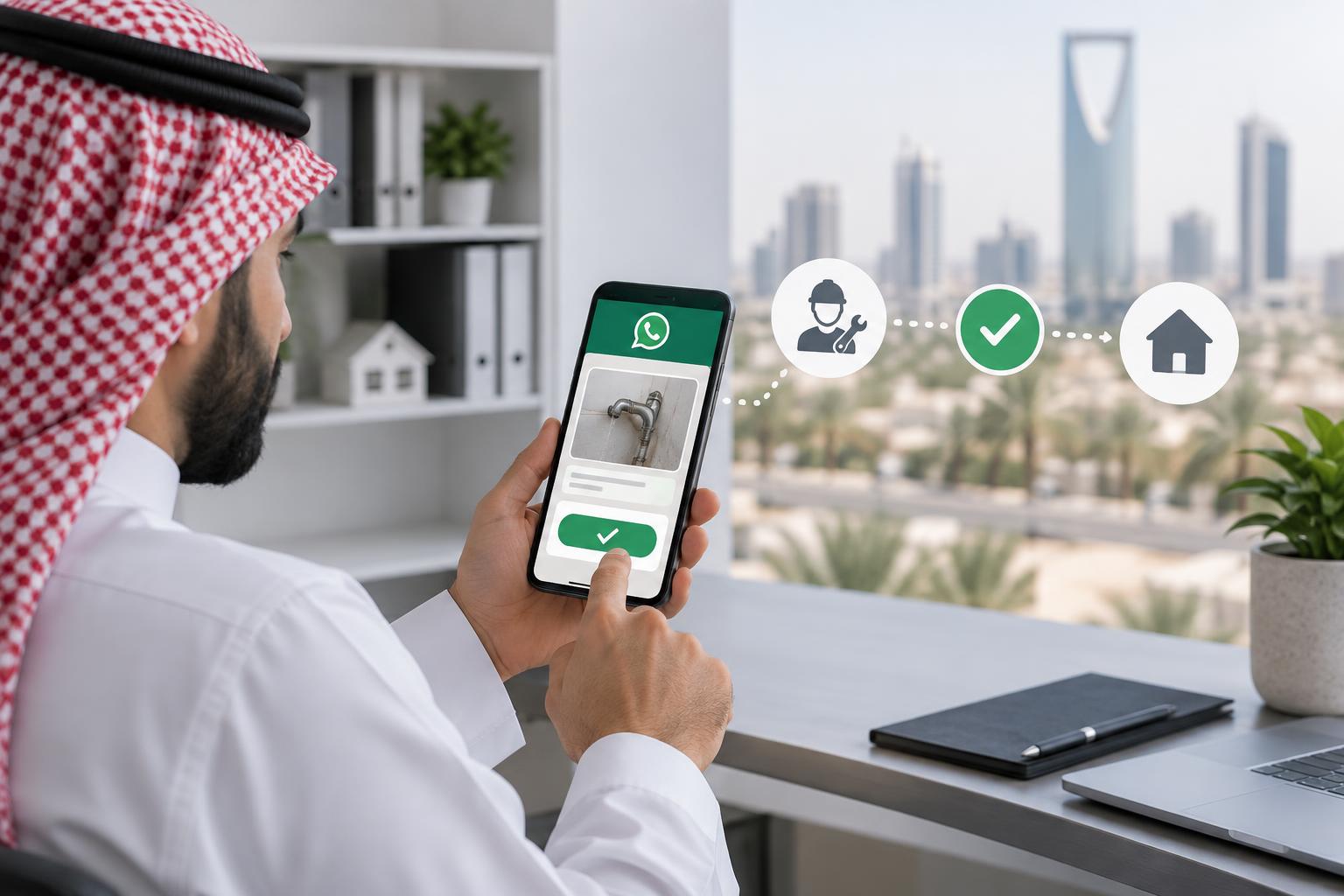
A tenant reports a leaking AC. The repair itself is simple. The delay is not. The request sits in an inbox, waits for a landlord to reset a portal password, or bounces between agency and owner while the tenant sends follow-ups. A one-click landlord repair approval via WhatsApp removes that friction: the landlord receives the job details and cost context in a channel they already use, then approves or declines in one action.
The aim is not automatic approval. It is a faster, documented yes or no.
What one-click approval actually means
A useful approval request answers four questions at a glance: What is broken? What will it cost? Who is responsible? What happens next? In Maktabi's maintenance workflow, the landlord receives a WhatsApp message with the job description, an AI-generated cost estimate and a one-tap Approve or Decline action. They do not need to open a portal or create a login. The landlord stays in control, while the agency gets a decision recorded in the dashboard against the relevant unit and lease.
That distinction matters. One-click approval is a faster interface for a human decision, not a way to bypass landlord consent.
Where repair approvals break down
Most delays are administrative, not technical:
- The request arrives without a photo, access details or a clear scope.
- The landlord is asked to approve without a cost range.
- Nobody has confirmed whether the job belongs to the agency or the landlord.
- The approval happens in a phone call or personal chat, outside the maintenance record.
- The tradesperson is not ready to start when approval lands.
- Final cost and invoice are never compared with the estimate.
A one-tap approval only works when the request behind it is complete. Fix the input, and the decision gets faster.
Run the workflow from request to closed job
Maktabi's maintenance process follows a defined sequence:
- Tenant submits via WhatsApp. They send a description and photos, then receive instant confirmation with a ticket reference.
- Responsibility is routed. The system determines whether the job is the agency's or the landlord's. If the unit has a default tradesperson, the ticket can be dispatched immediately.
- A cost estimate is generated. The system analyses historical tickets for the same unit, property and job type, then produces a cost range with a confidence score.
- The landlord approves. If sign-off is required, a Zoho Books estimate PDF is sent to the landlord's WhatsApp. They approve or reject with one tap, with no login.
- The tradesperson is notified. Only after approval do they receive the unit, description and tenant media.
- SLA tracking starts. Response and resolution targets can trigger WhatsApp escalations to the tradesperson, agency manager or landlord according to the escalation policy.
- Completion is recorded. The landlord gets a completion notification with the final cost, and an invoice is generated automatically.
The sequence matters because a fast approval is only useful if the job moves. The decision, assignment and record stay connected.
Why WhatsApp is the right channel
Landlords already use WhatsApp daily. They do not need another app, another password or another dashboard habit. Maktabi connects through the official WhatsApp Business API using 360dialog or your own WABA, so messages run from an approved business number rather than an informal group chat. Outbound messages use approved templates and can be bilingual in Arabic and English. Maktabi reports a 98% open rate for WhatsApp versus 20% for email. The operational point is straightforward: decisions happen where people look.
Set approval guardrails before you launch
One-click approval should sit inside a policy, not replace one:
- Match approval to responsibility. Confirm which repair types sit with the agency and which need landlord sign-off under each management agreement.
- Set spend bands. Define which estimated costs the agency can approve and which always need the landlord. Keep an explicit emergency rule for leaks, electrical hazards and security risks.
- Require evidence. Ask for a photo, a short description and access notes. A cost estimate without scope invites disputes.
- Track approval time separately. If the landlord must approve first, measure request-to-approval time apart from approval-to-repair time.
- Reconcile the final invoice. Compare completion costs with the approved estimate and flag large variances.
- Review exceptions weekly. Look at unanswered approvals, repeat repairs and jobs that missed SLA.
This is operating discipline, not legal advice. Agree the rules with each landlord and check them against the management contract.
Check plan fit and pilot the workflow
Maktabi lists a free plan and paid Professional and Business plans. Its homepage lists maintenance request management and work-order assignment under the Business plan, so confirm your chosen plan includes the maintenance workflow before promising one-tap approvals to landlords. Confirm your WhatsApp Business number and templates are ready, then pilot with one landlord, a handful of job types and a named escalation contact. Measure request-to-approval time, approval-to-assignment time and estimate-to-invoice variance. Those three numbers show whether the workflow is reducing coordination in practice.
The operational payoff
The value of one-click approval is not the tap. It is the shorter path from tenant message to landlord decision to assigned tradesperson. Agencies spend less time chasing and re-explaining. Landlords get control without administrative work. Tenants get a faster repair and a visible ticket. Finance gets a record that ties the approval, the job and the invoice together.
Use WhatsApp to remove the approval bottleneck, but keep the discipline around it: clear scope, clear responsibility, clear cost and a logged decision. That is how one tap becomes a reliable maintenance process.
FAQ
Do landlords need an app or portal login?
No. They receive the repair request on WhatsApp and approve or reject from the message. Maktabi's maintenance workflow does not require a portal login for landlord approval.
Is one-click approval the same as automatic approval?
No. Automation prepares the request, estimate and routing. The landlord makes the decision. That separation keeps control and accountability clear.
What happens if a landlord does not respond?
Set a follow-up rule with a named escalation contact. Maktabi includes SLA timers and WhatsApp escalation for missed maintenance deadlines; use them alongside a clear internal process for chasing pending approvals.