Automatic Zoho Books Sync for Rent and Maintenance Invoices
Manual invoice entry slows collections and clutters the books. Here is how automatic Zoho Books sync turns confirmed rent payments and completed maintenance jobs into compliant invoices.
Automatic Zoho Books Sync for Rent and Maintenance Invoices
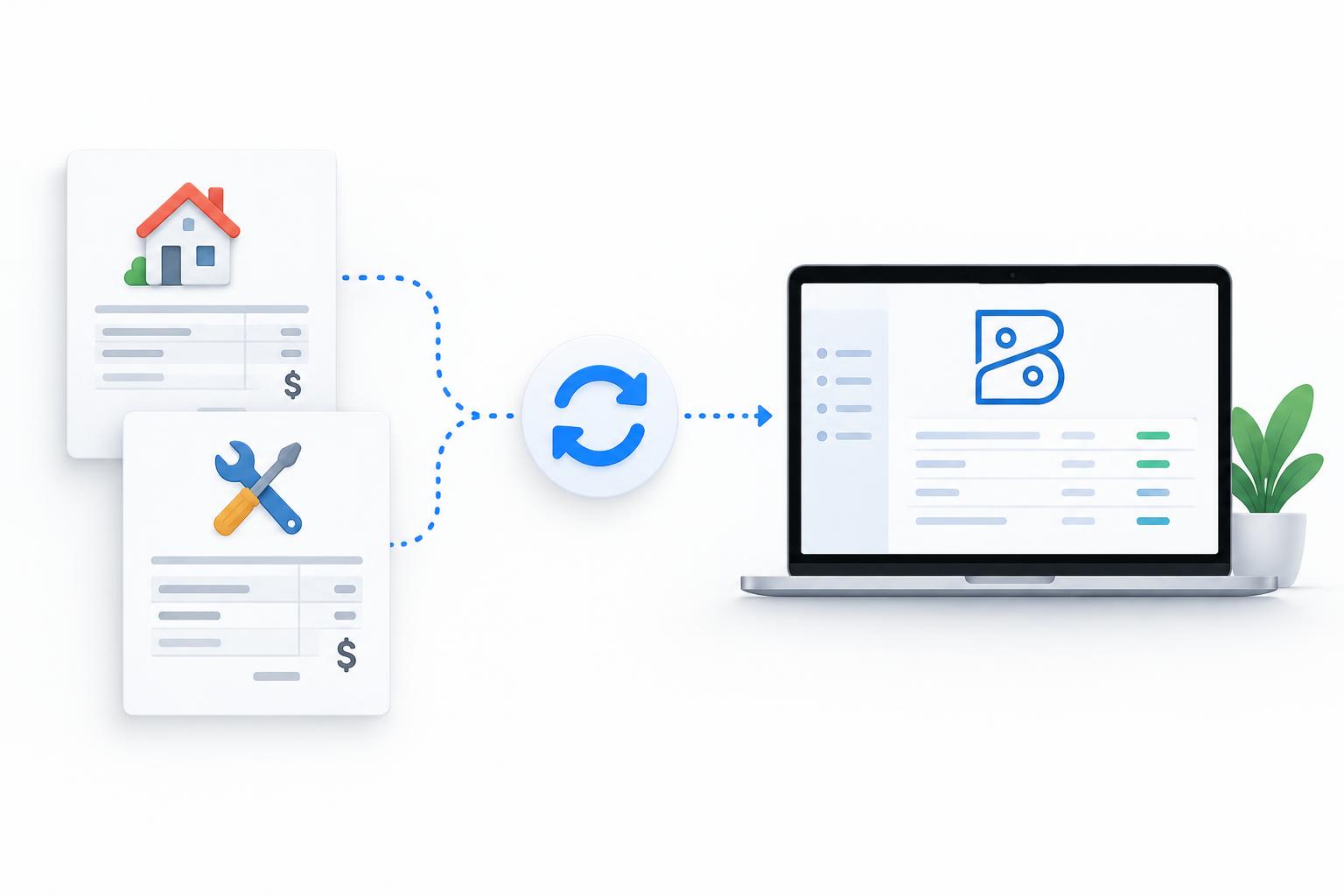
Manual invoice entry is where property accounting slows down. A payment lands, a maintenance job closes, and someone still has to copy tenant details, VAT, dates and amounts into the accounting system. Maktabi's invoicing flow is built to remove that step: confirmed rent payments and completed maintenance jobs generate ZATCA Phase 2 e-invoices that are stored in Maktabi and synced to Zoho Books automatically. The result is faster billing, cleaner books and fewer reconciliation calls at month-end.
What Automatic Sync Changes for Your Finance Team
The benefit is not just less typing. When the invoice is created from the same transaction record that triggered collection or maintenance, the numbers stay tied to the operational event. Your team spends less time matching spreadsheets to receipts and more time reviewing exceptions, arrears and cash flow.
Maktabi's ZATCA e-invoicing module handles the invoice build, numbering, VAT breakdown and Zoho Books dispatch. Zoho Books then generates the ZATCA-compliant PDF with QR code and sends it to the tenant automatically.
Key outcomes:
- Fewer manual handoffs between property management and accounting.
- Consistent invoice data for rent and maintenance.
- A cleaner audit trail from payment or job completion to posted invoice.
- Less risk of duplicate or missing invoices during busy collection periods.
The Invoice Pipeline, Step by Step
Maktabi's documented flow runs in six stages:
- Payment confirmed. A tenant payment is confirmed through bank transfer proof read by AI, an online payment link, or manual recording by the agency.
- Tax mode resolved. Maktabi reads the agency's tax configuration: VAT-registered at 15%, non-VAT, zero-rated or exempt. For Saudi Arabia, the ZATCA format is applied automatically.
- Invoice data built. The system assembles the invoice number, invoice date, customer name in Arabic and English, customer VAT number, subtotal, VAT, total and line items.
- Invoice number generated. A sequential number is created using the organisation's numbering scheme and country code. Uniqueness is enforced at database level.
- Stored and synced. The invoice is saved in Maktabi and dispatched to Zoho Books through the sync job.
- Tenant receives the invoice. Zoho Books generates the compliant PDF with QR code and emails it to the tenant.
That sequence matters because it puts the accounting record downstream of the operational event, not in a separate manual process.
Rent Invoices: From Rent Cycle to Zoho Books
A rent invoice is generated automatically when a rent cycle is marked as paid. The invoice carries the tenant's name in Arabic and English, unit code and property name, rental period, subtotal, VAT at 15% for standard cases, total and the sequential invoice number, along with the ZATCA QR code.
For a finance lead, the practical gain is timing. The invoice reaches Zoho Books as part of the payment confirmation flow, so the tenant can receive a compliant document without an accountant rebuilding the transaction. That shortens the gap between collection and billing, reduces tenant questions, and keeps the rent roll aligned with the ledger.
Online payments fit the same loop. When a tenant pays through a connected, government-licensed gateway, the payment confirmation can trigger the invoice and Zoho Books sync in the same way. Maktabi's payments module uses the agency's own gateway account, so funds settle to the agency's merchant account while Maktabi closes the invoicing loop.
Maintenance Invoices: Closing the Job and the Books
Maintenance is harder to bill manually because the cost is not known until the job is complete. Maktabi generates a maintenance invoice automatically when a maintenance ticket reaches completed status. The invoice includes the ticket title and description, unit and property, labour and material line items, subtotal, VAT, total and the sequential invoice number with ZATCA QR code.
The invoice is synced to Zoho Books and attributed to the responsible party — agency or landlord. That attribution is important. Maintenance workflows often involve landlord approval before work begins, and the invoice needs to land against the right cost owner. Maktabi's maintenance module routes tickets by responsibility, sends landlord estimates for one-tap WhatsApp approval when required, and notifies the assigned tradesperson after approval. The completed job then becomes the billing trigger rather than another spreadsheet line.
For property teams, this means fewer month-end surprises. Labour and materials are captured at job closure, invoiced from the same record, and posted to the accounting system with the rest of the property's transactions.
Why the Sync Matters Beyond Data Entry
Automatic Zoho Books sync improves three areas that property leaders watch closely:
Collections. Invoices that are issued promptly are easier to collect. Tenants get a clear, compliant document tied to the payment or completed job, not a delayed manual invoice that invites dispute.
Compliance. ZATCA Phase 2 requires structured e-invoices with a cryptographic stamp and QR code. Building the invoice from a controlled template and syncing it to Zoho Books reduces the chance of missing fields, incorrect VAT or inconsistent numbering.
Finance control. When rent and maintenance invoices flow into Zoho Books from the same source system, accountants can reconcile against a single transaction record. Exceptions stand out faster, and the team can focus on overdue balances, landlord statements and cash forecasting.
What to Standardize Before Go-Live
Automation works best when the underlying data is clean. Before relying on the sync for live invoicing, align these points with your finance and property teams:
- Tax mode. Confirm whether each entity is VAT-registered, non-VAT, zero-rated or exempt, and make sure the configuration matches the legal entity that issues the invoice.
- Customer data. Complete Arabic and English tenant names, VAT numbers where required, and unit and property details should be correct before the first invoice is generated.
- Maintenance responsibility rules. Agree which job types sit with the agency and which sit with the landlord, so cost attribution is consistent.
- Invoice review routine. Even automated flows benefit from a short daily or weekly check of generated invoices, failed syncs and exceptions.
- Reconciliation ownership. Name the person who reviews Zoho Books against Maktabi's collection and maintenance records, and set a cadence.
Maktabi's pricing lists accounting-system integration on its Professional and Business plans. Confirm that the Zoho Books connection is enabled for your organisation and that your tax settings are correct before you switch live invoicing over.
Questions Finance Leads Ask
Does every rent payment create an invoice in Zoho Books? In Maktabi's flow, a confirmed rent payment that marks the rent cycle as paid triggers the invoice pipeline, and the invoice is dispatched to Zoho Books. The confirmation can come from AI-read transfer proof, an online payment link or manual recording.
Are maintenance invoices treated differently? Yes. Rent invoices are triggered by a paid rent cycle. Maintenance invoices are triggered when a maintenance ticket is completed and include labour and material line items, with attribution to the agency or landlord.
What happens with VAT? Maktabi supports VAT-registered, non-VAT, zero-rated and exempt configurations. For standard Saudi VAT-registered cases, 15% VAT is applied and the ZATCA format is used.
Who sends the invoice to the tenant? Zoho Books generates the ZATCA-compliant PDF with QR code and sends it to the tenant by email.
What if a sync fails? The invoicing module includes failed-sync retry handling. Your finance team should still review exceptions as part of the reconciliation routine.
Make Invoicing Part of the Workflow
The value of automatic Zoho Books sync is simple: the invoice is created when the operational work is finished, not when someone remembers to rekey it. Rent payments and maintenance jobs move through one pipeline, land in Zoho Books with the right VAT and numbering, and reach the tenant as a compliant document.
For Saudi property teams managing more units without adding finance headcount, that is the difference between chasing invoices at month-end and running a cleaner, faster collection cycle every day.